

When a computer fault returns, repeating the last repair without reviewing the history can waste time. A useful follow-up asks what changed, what stayed the same, and whether other devices share the conditions. The aim is a better next decision, not a promise that every future failure can be prevented.
1. Reconstruct the history before starting again
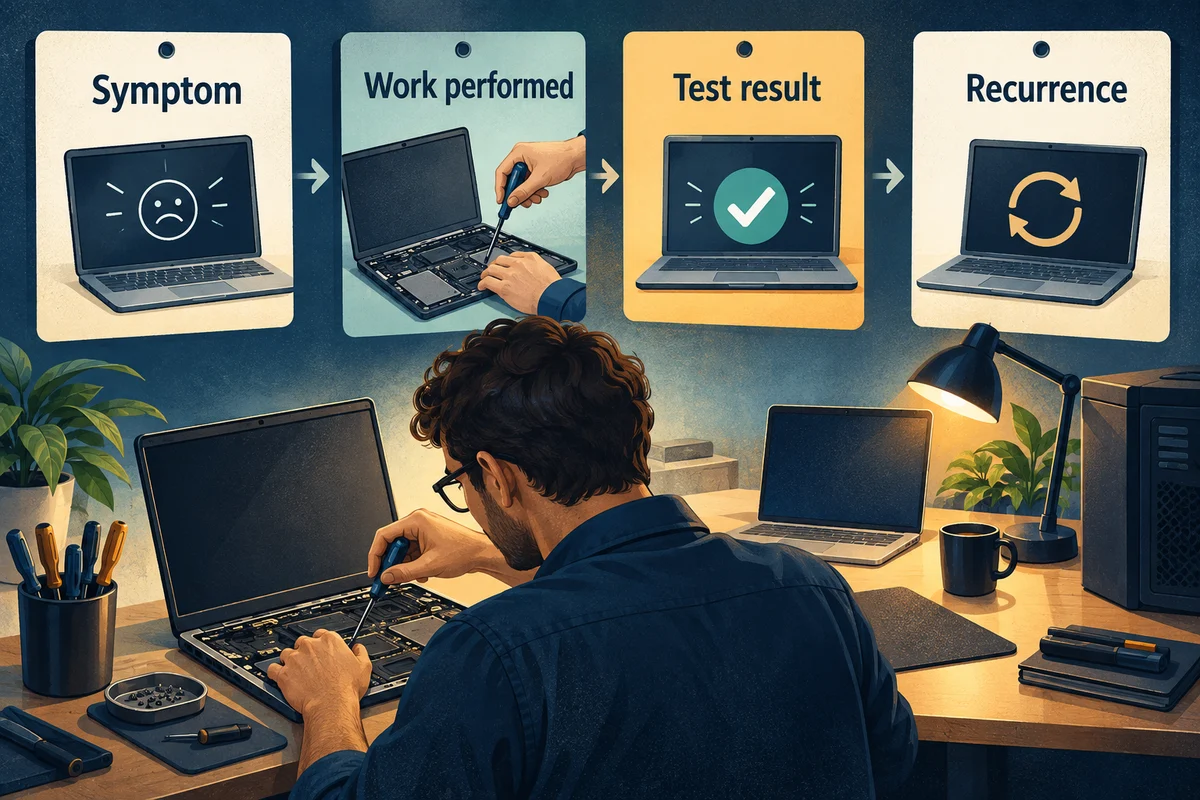
Bring together the original symptom, diagnosis, completed work, and test result. Add the date and conditions of the new report. Record whether the symptom is identical or only appears similar.
| History entry | Detail worth keeping |
|---|---|
| Original report | Task, symptom, equipment, and timing |
| Repair | Findings and specific work performed |
| Return check | Task tested and conditions used |
| New report | What returned and what changed since |
| Next action | Owner, evidence needed, and review point |
“The display disconnected again when the laptop woke on the office dock” is more useful than “same problem.” It connects the report to a task and setup that support can investigate.
2. Compare conditions across devices
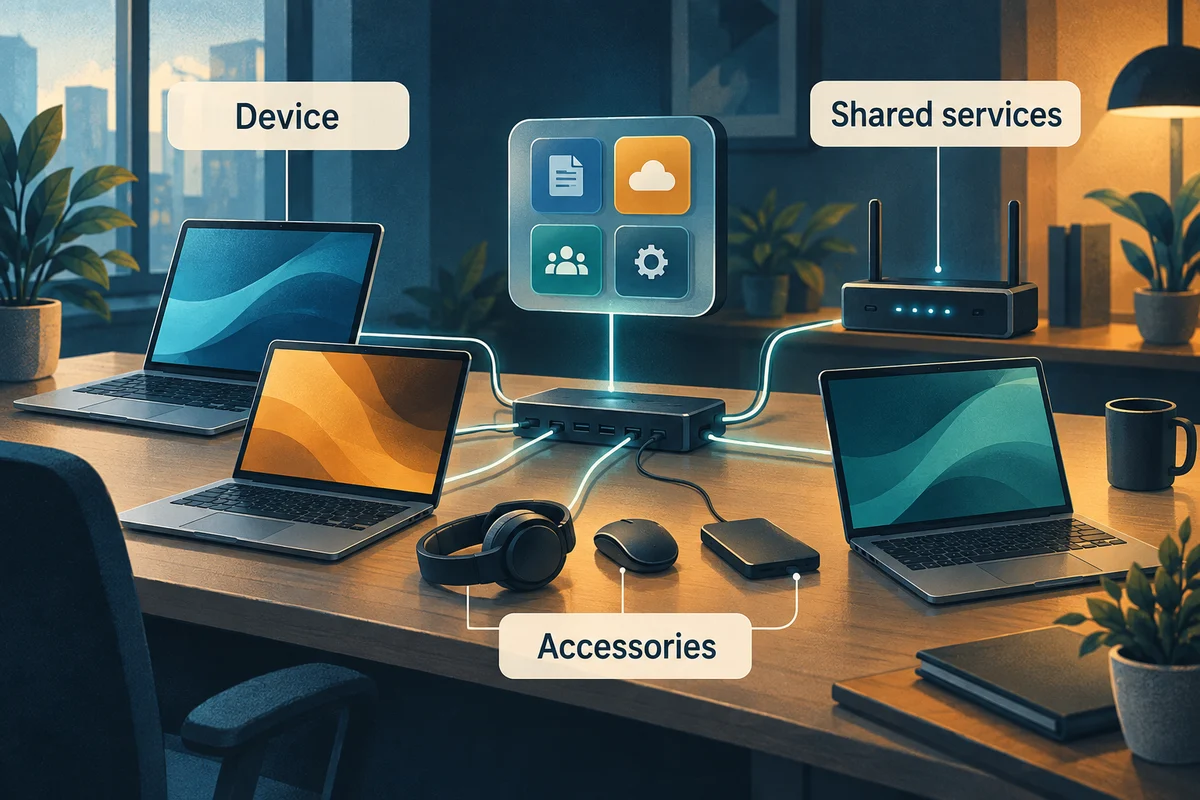
Check whether similar reports involve the same application, dock, network, device model, or time of day. Shared conditions can help narrow an investigation, but they do not prove a cause by themselves.
For Windows display problems, Microsoft’s external-monitor troubleshooting guide gives the technician a product-specific reference for checking the connected setup.
For example, two employees may report display faults after changing desks. The useful next question concerns their new working setups; it is not automatically a reason to replace both laptops.
Record unaffected examples too. Knowing that the same task works on another approved setup can give the support team a comparison. Let the responsible technician choose controlled tests rather than changing several things at once.
3. Turn findings into owned follow-up work
A repair may reveal an unreliable accessory, a failed maintenance step, or a gap in backup responsibility. Put the follow-up into an action list with a named owner and a verification step. A recommendation buried in an invoice is easy to miss.
When the recurring issue involves Windows performance, Microsoft’s performance guide provides further checks to consider within the authorized maintenance plan.
Schedule the change around the work it affects. Explain the expected interruption and how to report problems afterward. Ask the support owner to keep enough detail to tell whether the action changed the result.
Where there is no confirmed cause, record the next observation needed. “Collect the exact error and dock model if it recurs” is more useful than leaving an unexplained open ticket.

4. Decide when the issue needs a broader review
Escalate a returning fault with its history and work impact. Ask the provider to review the original diagnosis, any remaining uncertainty, and the applicable service terms.
If reliability remains poor, compare a more complete investigation or repair with replacement. Include repeated interruption and setup needs, not only the latest component price. Keep the employee informed about the temporary work plan while the decision is made.
The recurring slowdown guide helps organize pattern finding. Use the workstation maintenance overview to clarify ongoing responsibilities.